Canon imagePROGRAF GP-6600S Ink Cartridges


Save on all the consumables you need for your Canon imagePROGRAF GP-6600S. Ordering from Printzone doesn't just mean you get discounted products, but you also get to take advantage of our fantastic service! For the Canon imagePROGRAF GP-6600S we stock the following:
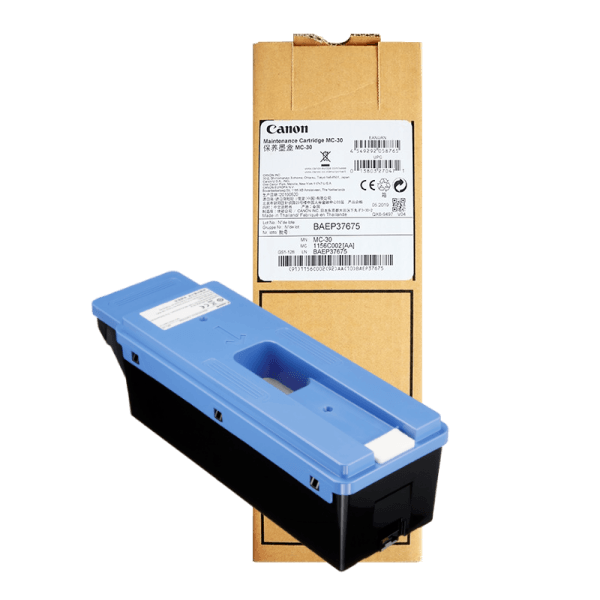
Genuine Canon MC-30 Maintenance Cartridge
- Genuine
- PreOrder
Canon MC-30 Maintenance Cartridge suitable for Canon imagePROGRAF PRO-2000, PRO-4000, PRO-4000S and PRO-6000s wide format printers. Canon Code: MC-30 Easy to replace - Replace when printer's software indicates ~80% full cartridge ...
Maintenance Kit
178.53
147.20 /inc GST
Free Shipping
Canon

Canon Cutter Blade for IPF PRO and TX Models CT-07
- Genuine
- PreOrder
Replacement Cutter Blade for selected Canon imagePROGRAF PRO and TX Models.Includes fitment tool
Printer Accessory
276.69
235.18 /inc GST
Free Shipping
Canon
Frequently Asked Questions
What products are available for the Canon imagePROGRAF GP-6600S?
Is there a warranty on Canon imagePROGRAF GP-6600S products?
How long does delivery take?
Do you sell compatible cartridges for the Canon imagePROGRAF GP-6600S?
How can I order Canon imagePROGRAF GP-6600S products?
Some info about the Canon imagePROGRAF GP-6600S...
The 60-inch GP-6600S, 44-inch GP-4600S and 24-inch GP-2600S, are designed to provide high-speed output for graphics and posters and bolster the large-format inkjet printer offerings.
Expanding on the success of the imagePROGRAF GP Series, these additions to the line feature a new seven-colour ink configuration designed for the creation of high-quality graphics and vivid posters at high speeds while working to suppress scratches on the printing surface that can arise via post-processing. Featuring newly developed LUCIA PRO II pigment ink, designed to provide improved image permanence from the previous generation, these printers can be utilised for in-house printing departments and print-for-pay business for a variety of applications, including signage and advertisements. The GP-6600S and GP-4600S replace the PRO S Series printers with the 24-inch sized model, the GP-2600s new to the line-up.
The new GP S printers are an expansion of the current GP Series line-up. The seven-colour ink system used in these printers include grey and orange ink and can reach 96% of PANTONE™ FORMULA GUIDE Solid Coated², enabling a wide range of colour reproduction for more vivid and accurate poster prints. This new ink configuration can also work to help produce and preserve prints as wax has been added to the ink giving the printed surface better resistance to abrasion-caused scratches on glossy and semi-glossy media.
The new series includes a newly developed ink sensing system which periodically monitors the accuracy of the ink ejection and automatically maintains optimal ink placement position on the page to ensure high image quality. The intelligent media handling system, which automatically detects the paper width, type, and estimates the remaining amount of paper in a shorter time over the previous models, automates the feeding process which can help to ensure stable operations even in the absence of skilled or experienced personnel.
The addition of LED interior lights allows users to preview prints and semi-translucent ink tank covers helps users monitor ink tank status.