Canon Pixma MP240 Printer Ink Cartridges
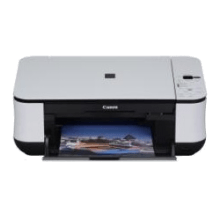

Save on all the consumables you need for your Canon Pixma MP240. Ordering from Printzone doesn't just mean you get discounted products, but you also get to take advantage of our fantastic service! For the Canon Pixma MP240 we stock the following:
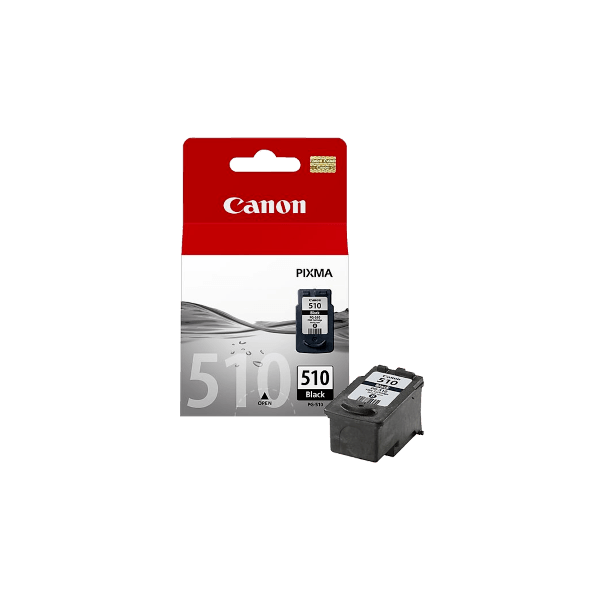
Genuine Canon PG-510 Black Ink Cartridge
- 220 pages
- Genuine
- In Stock
Print clear, dark documents and images with this genuine Canon PG-510 black ink cartridge, suitable for a wide range of PIXMA inkjet printers and all-in-ones. Canon makes it simple for you with an integrated print head and ink which allows the cartridges to be replaced with a single touch...
Genuine Ink Cartridge
52.93
43.59 /inc GST
Shipping
Canon

Genuine Canon CL-511 Colour Ink Cartridge
- 244 pages
- Genuine
- In Stock
For exceptional quality and remarkable durability - vibrant, long-lasting prints - use Genuine Canon CL511 Ink which suits a wide range of PIXMA inkjet printers and all-in-ones (see list)...
Genuine Ink Cartridge
59.36
48.88 /inc GST
Shipping
Canon
Frequently Asked Questions
What products are available for the Canon Pixma MP240?
Is there a warranty on Canon Pixma MP240 products?
How long does delivery take?
Do you sell compatible cartridges for the Canon Pixma MP240?
How can I order Canon Pixma MP240 products?
Some info about the Canon Pixma MP240...
Compact All-In-One, ideal for all the family, delivering high-quality photo and document printing, copying and scanning, plus PictBridge for PC-free direct photo printing from compatible cameras.
Compact and stylish All-In-One photo printer with PictBridge
Print without a PC
PictBridge technology makes it possible to enjoy your photo prints direct from a camera (mobile phone, camcorder or any PictBridge compatible device) without the need to transfer them to a PC first.
Copying
The combination of scanner and printer enables you to create high-quality, vibrant copies without the need for a PC.
Ease of use
With the Quick Start function you can be confident your PIXMA printer will be operational within seconds, so you can experience Print, Copy and Scan on demand.
For hassle-free printing a self-opening paper tray has been incorporated.
FINE Cartridges deliver great-quality document and photo printing and they also make cartridge replacement easier with one-click installation.
Editing software
A comprehensive and intuitive range of software has been included with this PIXMA product. Canon’s Easy-PhotoPrint EX makes it simple to print calendars, albums and photos, and incorporates the enhanced Auto Photo Fix, which automatically corrects photos – including red-eye correction. Canon’s MP Navigator EX software helps manage and edit scanned images and documents, and includes an OCR function to convert printed text into electronic documents and simple scan to PDF.
Scanning
High-resolution scans that feature incredible detail are possible with the 1200dpi scanner. The Auto Scan Mode adds another practical feature as it automatically senses the type of original that is being scanned – photo or document – and then scans and saves using the most suitable settings.