Samsung CLX-6250 Toner Cartridges
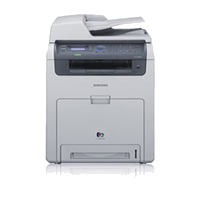

Save on all the consumables you need for your Samsung CLX-6250. Ordering from Printzone doesn't just mean you get discounted products, but you also get to take advantage of our fantastic service! For the Samsung CLX-6250 we stock the following:
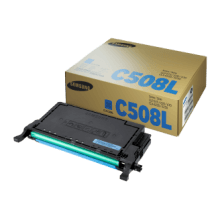
Genuine Samsung CLT-C508L Cyan Toner
- 4000 pages
- Genuine
- In Stock
Communication is key in any business. Colour print quality can make your company stand out. The Original Samsung CLT-C508L Cyan Toner Cartridge excels in its printing capability by featuring high resolution and high glossiness levels, providing you with consistent professional documents...
Genuine Toner
303.17
257.72 /inc GST
Free Shipping
Samsung
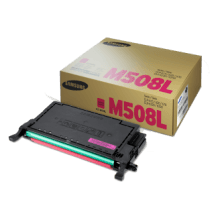
Genuine Samsung CLT-M508L Magenta Toner
- 4000 pages
- Genuine
- In Stock
Communication is key in any business. Colour print quality can make your company stand out. The Original Samsung CLT-M508L Magenta Toner Cartridge excels in its printing capability by featuring high resolution and high glossiness levels, providing you with consistent professional documents...
Genuine Toner
303.17
257.72 /inc GST
Free Shipping
Samsung
Frequently Asked Questions
What products are available for the Samsung CLX-6250?
Is there a warranty on Samsung CLX-6250 products?
How long does delivery take?
Do you sell compatible cartridges for the Samsung CLX-6250?
How can I order Samsung CLX-6250 products?
Some info about the Samsung CLX-6250...
With Samsung's CLX-6250FX color laser multifunction printer, you get the benefit of high quality color printing, scanning, copying and faxing, for a productive and efficient office environment. Low maintenance, high speed and user-friendly features combines with enhanced color quality and superior design specifications to make the CLX-6250FX an effective solution for your business.
High Speed Performance
Users benefit from a high-speed printer, copier and scanner that offers high resolution document printing. With an up to 700 MHz CPU and a generous 256 MB RAM, the Samsung CLX-6250FX offers a 25 ppm print speed and a First Page Out Time of as fast as 17 seconds. You can also upgrade to 768 MB RAM to handle even your biggest jobs with ease.
High Resolution
Communication is key in any business. And if you communicate with superior print quality, your company can stand out. The Samsung CLX-6250FX excels by offering 9,600 x 600 dpi that combines with a high-gloss feature to create outstanding high-resolution color documents. Improved color technology delivers color adjustments and uniformity for versatile and high-quality document output.
Smooth Network Integration
The built-in Ethernet interface allows you to connect everyone in your office to one network and keep everything running smoothly. They'll share a common printer and you'll save the time needed to service multiple machines.
Toner Management
With the TonerSave™ feature, you can monitor and effectively limit your toner usage for a cost-effective business solution. Using less toner on each page can also extend your cartridge life, significantly reducing your cost per page, and help you to meet stricter environmental standards.
Duplex Printing
With the Samsung CLX-6250FX, duplex printing has been made easier and more convenient by eliminating the need for manual paper reinsertion. The duplex automatic document feeder saves time and money by automatically loading and flipping the paper for easy double-sided document printing, including faxes.
Blue Compass Navigation
Samsung's unique Blue Compass navigation, with a 4-line LCD screen, is easy to learn and even easier to use. The navigation layout gives you instant access to print functions and controls. Simple, intuitive menus add to the savings in training and troubleshooting time.
Direct USB Interface
The Samsung CLX-6250FX utilizes the latest technology to ensure total convenience. The USB port located on the front of the printer allows you to easily access and print files stored on your USB drive. With a wide range of files supported from PDF, BMP, TIFF and JPEG, you can save time by printing straight from your USB drive.
SyncThru™ Web Service
SyncThru™ Web Service is easily and remotely accessible through a web browser, and provides administrators with the ability to change network and individual printer settings, upgrade firmware, and view network printer status.
SyncThru™ Admin 5
The SyncThru™ Admin 5 device management solution enhances productivity by using efficient and time-saving device management tools such as Remote Settings Modification and Driver Distribution. You can also add a Job Accounting, Usage Monitoring, Authentication and Storage Management Plug-In to this solution.
ENERGY STAR Compliant
By being ENERGY STAR compliant you are assured that your Samsung model is helping the environment by using less energy while saving you money. ENERGY STAR is a joint program of the U.S. Environmental Protection Agency and the U.S. Department of Energy promoting energy efficiency.
Easy Color Manager
Easy Color Manager allows you to easily adjust the color balance, brightness, contrast, and saturation of any image that you view on your monitor. This is especially useful when you have specific color preferences, or when your company has branding color requirements.